


iKitesurf: Weather & Waves
4.8108.00 Reviews
App Specs
- Version
- 5.0
- Updated On
- License
- Free
- Downloads
- 50,000+
- Developer
- WeatherFlow
- Categories
- Weather
- Platform
- Android
Screenshots
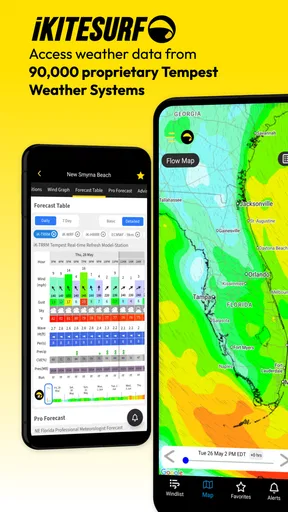
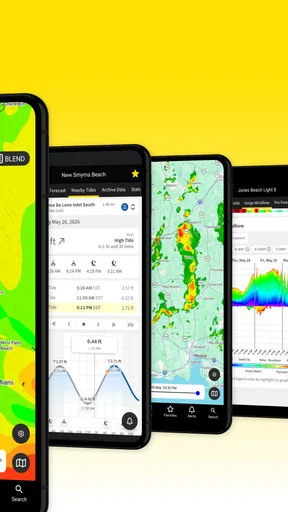
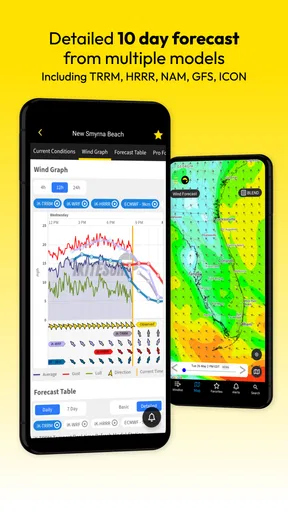
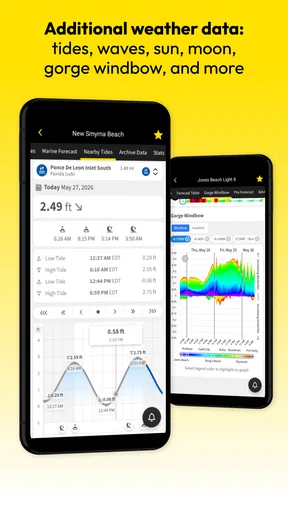
 Analysis by AppCompare
When a beach day depends on the wind, a broad forecast can leave me with more questions than answers. I want to know whether conditions near a particular launch spot are worth checking, not just whether the region will be sunny. iKitesurf: Weather & Waves is a weather app from WeatherFlow aimed at kiteboarders and other people who plan around wind and water. It has been around since 2012, and its focus makes it more relevant to a session decision than a general forecast app—though I would still treat any forecast as a planning aid, not a safety guarantee.
Where a focused forecast helps—and where it can feel like work
The main appeal is specialization. A standard weather app is usually enough when I only need to know whether to bring a jacket; for kiteboarding, wind direction and strength can matter just as much as the chance of rain. A dedicated tool makes sense when I am comparing potential outings or deciding whether it is worth packing gear. The trade-off is that a sport-focused display can present more detail than a casual beach visitor needs. If I only want a quick temperature check, the ordinary weather app already on my phone is likely simpler.
There can also be a learning curve in deciding which information deserves attention. A promising forecast number does not automatically tell me whether a spot is suitable for my experience, equipment, or local hazards. I would use the app to narrow down options, then apply what I know about the beach and check local guidance before heading out. That distinction is important: useful weather information supports a decision, but it cannot make the decision safe on its own.
Weather Data That’s Actually Useful
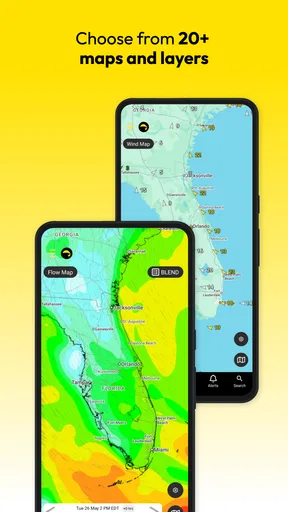
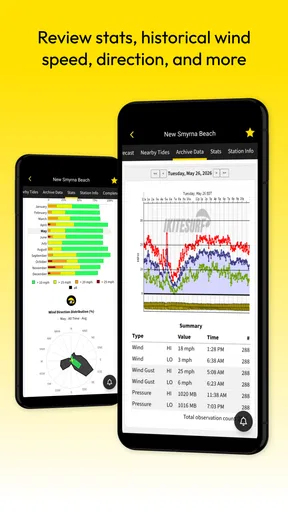
We’ve all been there—staring at a generic weather app that tells you it might rain, might not, and the wind speed is... meh. iKitesurf changes the game by offering precise, real-time weather data. This isn’t just about seeing if it’s sunny; it’s about knowing if the wind is strong enough to fly or the waves are perfect for shredding. The app pulls information from over 50,000 weather stations worldwide, giving you the lowdown on wind direction, speed, and even temperature. It’s like having your personal meteorologist in your pocket.
Easy Navigation and User-Friendly Interface
One of the first things I noticed when I downloaded iKitesurf was its clean and intuitive interface. No one wants to fumble through a complicated app when you’re trying to get a quick weather update. With easy-to-read graphs and data points, you can find what you need without getting lost in a sea of numbers. The app also lets you save your favorite spots, so you can check conditions in seconds. It’s like bookmarking a recipe—quick and efficient.
Making a useful spot-check routine
Saved locations are most valuable when I use them before I am in a rush. I would add the beaches I genuinely consider, then compare them at home rather than trying to learn the interface in a car park. A small shortlist can make a forecast easier to interpret: check the usual spot first, then compare a backup location if the conditions look unsuitable. This is a practical way to use a local weather tool without turning every outing into a long forecast investigation.
For a weekday decision, I would check the likely session window rather than focus on a single appealing moment in the forecast. If the wind seems promising only briefly, travel time and setup time matter; if I cannot arrive in time, that forecast may not help me. Likewise, a spot that looks better on paper is not automatically the better choice if I do not know its access or conditions. The app can help me compare weather, but I still need to bring local knowledge to the comparison.
Worth Reading Before You Choose

Flipboard Shows What News Apps Must Do Beyond the Feed

Switching to Android Auto Means Rethinking Your Driving Routine

Google Calendar Makes a Crowded Week Easier to Manage

Ludo King Makes the Most of the Minutes Between Plans

Baby Panda World Brings Quick Play to Modern Phones, but Its Game Library Feels Busy

ESPN’s Live Game View Makes Following Close Games Easier
Community and Social Features
What’s cooler than getting top-notch weather data? Sharing it with your fellow kiteboarders! iKitesurf lets you connect with other users, share your own reports, and even check out real-time webcams at popular spots. It’s a bit like having a social network specifically for wind and wave junkies. You can also set up notifications so you’ll never miss a prime kiting day. It’s all about keeping the stoke alive and getting out there when conditions are just right.
How I would use reports and webcams
Community observations and a webcam, where available, can add useful context to a forecast. I would treat them as a second opinion, not as proof that conditions will stay the same by the time I arrive. A current-looking view may help me notice that a spot is active or that the visible conditions differ from what I expected, while a user report can add local perspective. Neither replaces checking the forecast again before leaving or asking someone knowledgeable about the site.
There is a simple workflow that avoids overreliance on one source: look at the forecast first, use any available local reports or camera view to add context, and make a fresh check closer to departure. If reports are old or a camera view is unavailable, I would not fill in the gaps with guesswork. That is one reason a specialist app is best treated as part of a decision process rather than a single all-clear signal.
Custom Alerts and Notifications
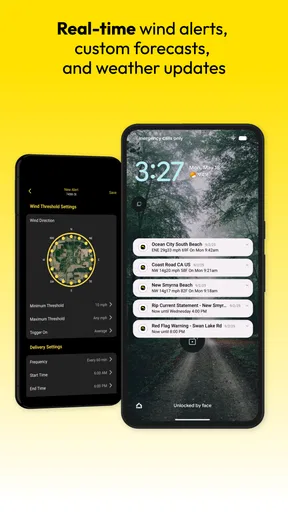
Imagine this: you’re stuck at work, dreaming of the weekend. Suddenly, you get a notification—perfect wind conditions for your favorite beach! Now you’re counting down the minutes to freedom. iKitesurf allows you to set custom alerts for wind speed, direction, and even tide changes. It’s like having your own personal assistant who knows exactly when you should drop everything and hit the beach.
Keeping alerts helpful instead of noisy
Alerts are most useful when I choose thresholds that match a real plan. A notification that is too broad can prompt me to check the app repeatedly without changing what I do; one that is too narrow might miss conditions I would have considered. I would start with a favorite spot and a realistic range for my own plans, then adjust after seeing whether the alerts arrive at useful times. This is a more sensible approach than treating every notification as a recommendation to head out.
Even a well-chosen alert is only a prompt to review the full forecast. Wind direction, timing, and local circumstances all affect whether a session works, and a change in conditions can make an earlier notification stale. For someone who cannot watch the forecast during the day, alerts can reduce the need for constant checking, but I would still open the app before making a travel or safety decision.
When setup or a forecast check gets stuck
If a saved place or alert does not behave as expected, I would first check the simple things: confirm that I am looking at the intended location, review the alert conditions I chose, and reopen the relevant screen after a fresh launch. If the information looks surprising, compare another saved spot or check again later instead of assuming that the app has produced a definitive reading. These basic checks help separate a selection mistake or stale view from a genuine change in the weather.
It is also worth keeping expectations practical when using a weather app outdoors. A phone connection, the time of the last check, and changing local conditions can all affect what I see or how useful it is. I would prepare the key forecast information before leaving home rather than relying on a last-second lookup at the water. If something still seems inconsistent, a second weather source and local advice are better safeguards than repeatedly refreshing one screen.
Premium Features Worth the Investment
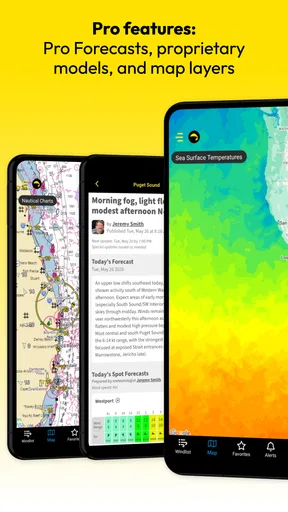
While the free version of iKitesurf offers plenty, the premium features are where the app really shines. You get access to advanced forecasting models, detailed wind maps, and even more precise data. It’s perfect for those who want an edge in planning their next session. You know what they say: knowledge is power, especially when it comes to unpredictable ocean conditions.
Who should consider paying—and who can stay free
The app is free to download, but it includes in-app purchases, with listed items ranging from $5.49 to $179.99. I would not pay simply because a forecast app seems more serious with a subscription or upgrade. A regular rider who relies on detailed planning may find advanced tools worthwhile, while someone who kites only occasionally should first see whether the free experience answers their basic questions. The useful test is whether a paid feature changes a real decision for you, not whether it sounds impressive.
Before spending, I would also consider how often I use specialist wind information and whether I already have a dependable way to plan sessions. The purchase range is wide, so it is sensible to inspect the available options in the app and match them to actual needs. A casual beach visitor may be better served by a general forecast, while a committed kiteboarder who compares locations and plans around conditions has a stronger reason to explore the paid tools.
Who will get the most from it
In practical terms, I see this as a better fit for people who regularly make plans around wind: kiteboarders, kitesurfers, and others who need more than a rain icon and a daily high. A realistic use case is checking several possible spots after work, saving the most relevant ones, and reviewing an alert or local observation before deciding whether to drive out the next day. That workflow uses the app as a focused planning companion without pretending it can predict every detail of a session.
It is less compelling for someone who only wants a quick local forecast, rarely visits the water, or does not need wind-specific information. A broad weather app may be faster for everyday errands and may already cover the basics that person checks. The right choice depends on what the forecast is helping you decide: if it is whether to carry an umbrella, a general app is enough; if it is whether a kite session deserves planning, a specialist tool has a clearer purpose.
Compatibility, audience, and expectations
iKitesurf is rated for Everyone, and its current version is 5.0. It requires Android 5.0 or later, so anyone using an older Android device should check compatibility before expecting to install it. Those details matter less than how often you will use the information, but they help set sensible expectations before making it part of a routine.
WeatherFlow has built the app around a particular outdoor interest rather than trying to serve every forecast need at once. I find that focus appealing, especially when I want to compare wind conditions rather than scan a generic daily summary. Still, the app cannot remove the uncertainty that comes with changing weather, and I would not use a favorable screen as a substitute for experience, local site knowledge, or caution.
Final Thoughts
If you’re serious about kiteboarding or any wind-based sport, iKitesurf: Weather & Waves is a no-brainer. Its accurate weather data, user-friendly interface, and community features make it a standout choice. Whether you’re a weekend warrior or a seasoned pro, this app is designed to enhance your experience and keep you safe. So, download it, explore its features, and get ready to chase the wind and waves like never before!
My recommendation is a little more measured: it is a focused option for riders who will use its location checks, alerts, and specialist weather information, but it is not a substitute for judgment at the beach. With an average rating of 4.8 from around 900 ratings and over 50,000 installs, it has found an audience among people looking for this kind of tool. I would start with the free app, set up only the spots and alerts I actually need, and decide later whether an upgrade adds enough value to my routine.
Pros
- Accurate wind forecasts for kitesurfing.
- Real-time weather updates and alerts.
- User-friendly interface with clear visuals.
- Customizable notifications for favorite spots.
- Community feature for sharing conditions.
Cons
- Limited offline functionality.
- Subscription needed for premium features.
- Occasional GPS inaccuracies.
- Ads in the free version can be intrusive.
- Some features require a strong internet connection.
FAQs for iKitesurf: Weather & Waves
What features does iKitesurf: Weather & Waves offer?
iKitesurf provides real-time weather updates, wind forecasts, and wave conditions specifically tailored for kitesurfers. The app offers detailed maps, live wind reports, and tide information. Additionally, it features community-driven spot reviews and webcams, ensuring users have all the necessary data to plan their sessions effectively.
Is iKitesurf suitable for beginners?
Yes, iKitesurf is suitable for kitesurfers of all levels, including beginners. The app offers easy-to-understand weather data and forecasts, helping newcomers make informed decisions about when and where to surf. Moreover, the community reviews and spot recommendations are valuable resources for those new to the sport.
Does iKitesurf require a subscription?
iKitesurf is available as a free download with basic features accessible at no cost. However, for advanced features like extended forecasts, ad-free experience, and premium weather stations, users can opt for a subscription. This ensures a more comprehensive and enhanced experience for serious kitesurfers.
Can iKitesurf be used offline?
iKitesurf primarily relies on real-time data, so most features require an internet connection. However, users can save specific locations and forecasts for offline viewing, allowing access to critical information even when a connection is unavailable. This is particularly useful when heading to remote surf spots.
How reliable is the weather data on iKitesurf?
iKitesurf sources its weather data from reputable meteorological services and employs cutting-edge technology to ensure accuracy. The app also includes user-generated reports, providing a community-verified layer of reliability. While no weather app can guarantee 100% accuracy, iKitesurf is highly trusted by the kitesurfing community.


